
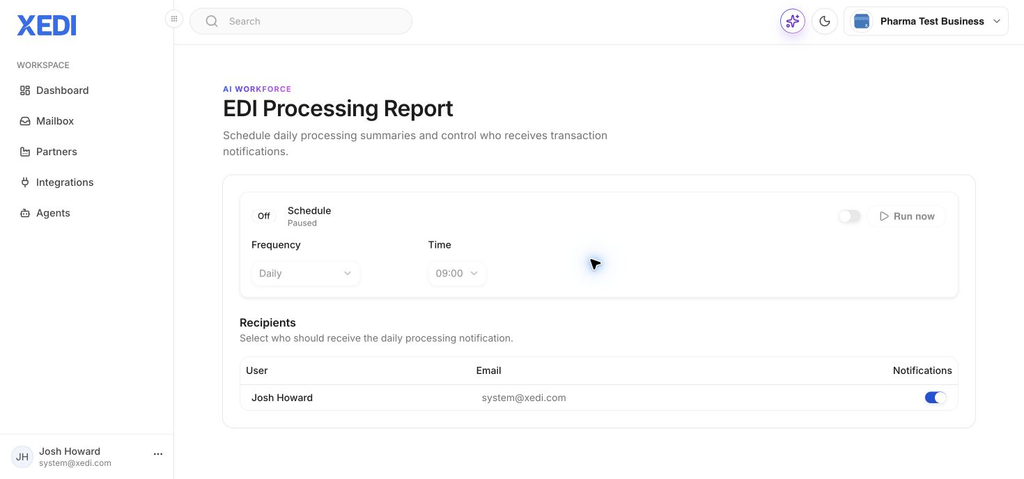
Use the EDI Processing Report to send a regular summary of your transaction activity to the people who need it.
Before you start
You need permission to manage reports, and the people who should receive the summary must already be users of the business.
Schedule the report
- In XEDI, open Agents and select EDI Processing Report.
- Turn on Schedule. The frequency and time controls become available.
- Choose the delivery frequency. Daily is selected by default; other available choices include 5 minutes, 15 minutes, hourly, weekly, monthly and yearly.
- Choose the time at which the report should run.
- Use the Notifications switch beside each user to choose who receives the summary.
Run a check immediately
Select Run now when you want to check the report without waiting for the next scheduled run.
Pause or change the schedule
Turn Schedule off to pause future deliveries. Turn it back on, then amend the frequency or time when you are ready to restart it.
Tip
Keep recipients limited to people who actively monitor EDI operations, so important alerts are not lost in a crowded inbox.